The Computer System
- Data and Information
mean the same thing. But in computer jargon they do not.
For example lets take the numbers 290781, it can be an I.D. card number
or a date or either a passport number, so when this number cannot be
determined for sure we say that it's a DATA. Now if the same number is
shown as 29/07/81 then one can recognises this, as a date so it becomes
information. A quick way to remeber it is :
DATA + STRUCTURE = INFORMATION
.........................................................................................
- A Computer
INPUT -> PROCESS -> OUTPUT
A computer is a device that accepts input,
process data, stores data and produces output.
...................................................................................................
Here are some words that are important to learn an be able to distinguish
from one an another :)
- Basic Functions of a Computer
Input : Entering of data into a computer
Output : Getting processed data out of the computer
Processing: Transform data into meaningful information
Storage : Saving the data in the computer for later use
Retrieval : Data is fetched from the computer and read
.......................................................................
Hardcopy is when you send data to a printer or plotter to make a paper copy.
Softcopy is when the computer display the data on a monitor screen.
Storage devices is used to hold data permanently, so you can save it and retrieve it later
..........................................................................................................
Examples of INPUT, OUTPUT, STORAGE DEVICES
Input:
keybored Mouse
Output:
Monitor
Printer 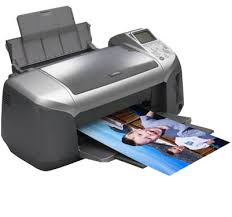
Storage Devices :
Hard Disk CD'S
.............................................................................................................................................................
Here is a video to show you different kinds of computers :
There are also two more types of computers which are :
Supercomputers : supercomputers are very powerful computers, which occupy special air-conditioned rooms, and are often used for research.
Embedded Computers : are a vast number of modern devices contain some form of built-in computer, [camera, washing machines, telephones, hi-fi system] etc.
..............................................................................................................
Hardware and Software
A computer is divided into two categories :
- Hardware
- Software
(1) Hardware, are the physical units that make up a computer system, in
other words, all those untis that can be seen and touched.
(2) Software, is another word for programas. There are two main types:
- Application software
- System software
(1) Application software is the kind of software that people use to preform a general-purpose task, such as word processing software.
(2) System Software is the software that the computer uses to manage its own internal activites and run application software. The Operating System (OS)is the most important software.
............................................................................................................
Main Components of a Computer
- CPU [ processor] : this is the brain of the computer it's speed is measured in Mhz or Ghz
- Main Memory [primary storage] : is part of a computer system where data amd insturctions are held for use by the CPU and where the CPU puts results it generates.
- Backing Storage : is a means of storing large amounts of data outside the main storage.
- Bus : is a data roadway along which data and commands travel.
In a computer there are three different types of buses :
- The address bus
- The data bus
- The control bus
..........................................................................................................................................................
Well thats all for today i hope it helped you :) BYE.

Excellent work Kelly!
ReplyDeletethank you miss. :)
ReplyDelete